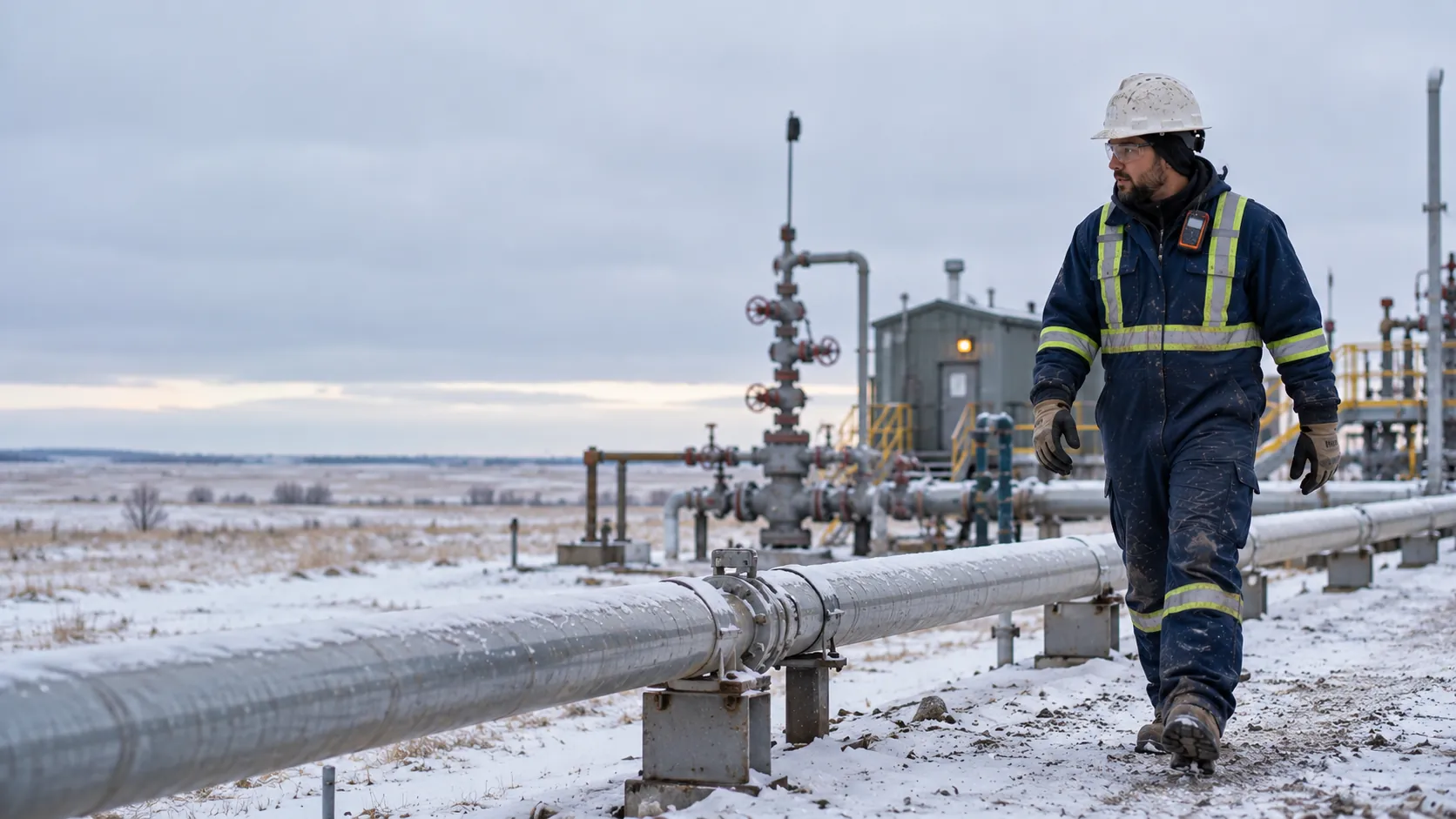
A field operator in flame-resistant coveralls, hard hat and gas monitor walking along a pipeline at a remote snowy wellsite.
Oil and gas

Oil and gas safety software that works past the last bar of signal.

Wellsites, pipelines and leases do not come with coverage. The daily check, the FLHA sign-off and the incident report still get done on the phone, and send themselves when the truck is back in range.

Works in a dead zoneLive in a dayFrom $8 CAD per worker
Where it breaks down

Remote work breaks the tools that assume a connection.

01

No signal on the lease.

Most safety apps assume a connection. On a remote lease that means the form waits for the drive back, and by then the details are gone.

02

Crews rotate, tickets lapse.

Rotations and contractors mean a different crew every few days. A ticket that expired last week is easy to miss until someone checks at the gate.

03

The operator asks for proof.

The producer or prime you work for wants evidence of hazard assessments and incident follow-up, usually on short notice.

The product

Reports that survive the drive back.

A hazard or incident started in a dead zone is saved on the device with its photos, then sent the moment there is signal. The safety manager sees it land with an owner attached.

  • Daily checks, FLHA sign-off and reports work without signal
  • Photos stay attached to the report while it waits to send
  • Tickets tracked with expiry, so a lapse shows before the job
  • Corrective actions with an owner, tracked until closed
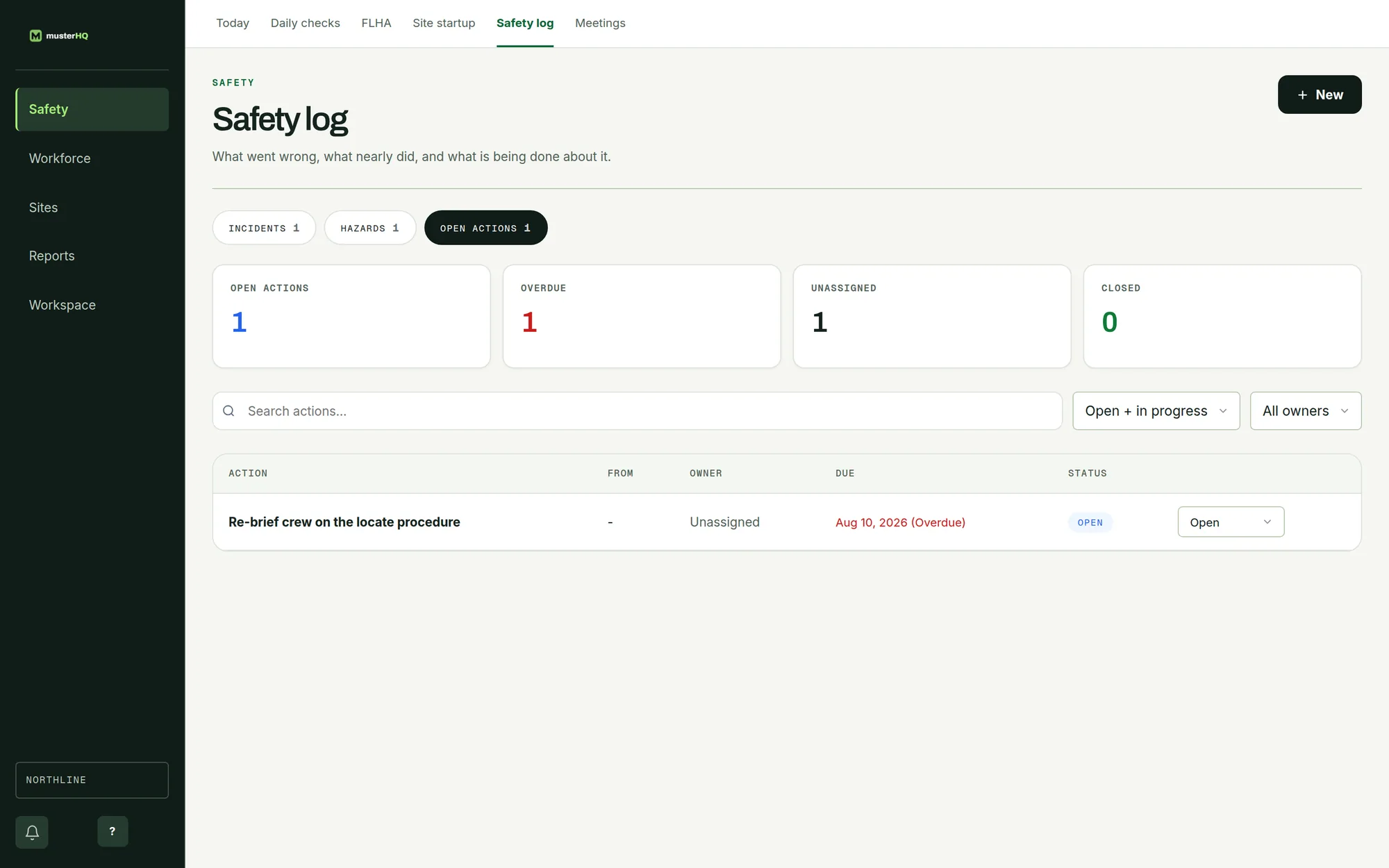
MusterHQ Safety log showing open corrective actions, an overdue action and its owner.
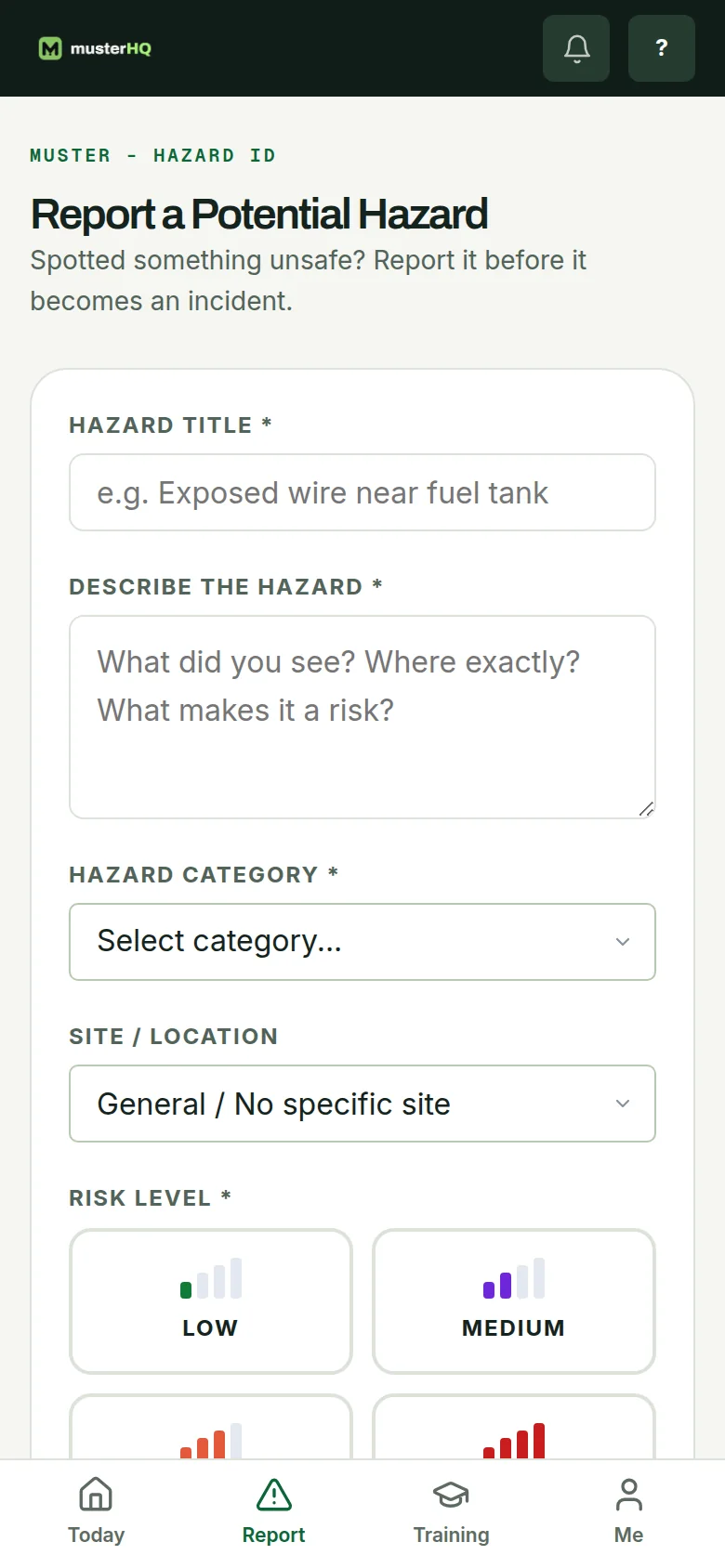
MusterHQ hazard report form on a phone with title, description, category, site and risk level.

The real Safety log and hazard report, shown with sample data.

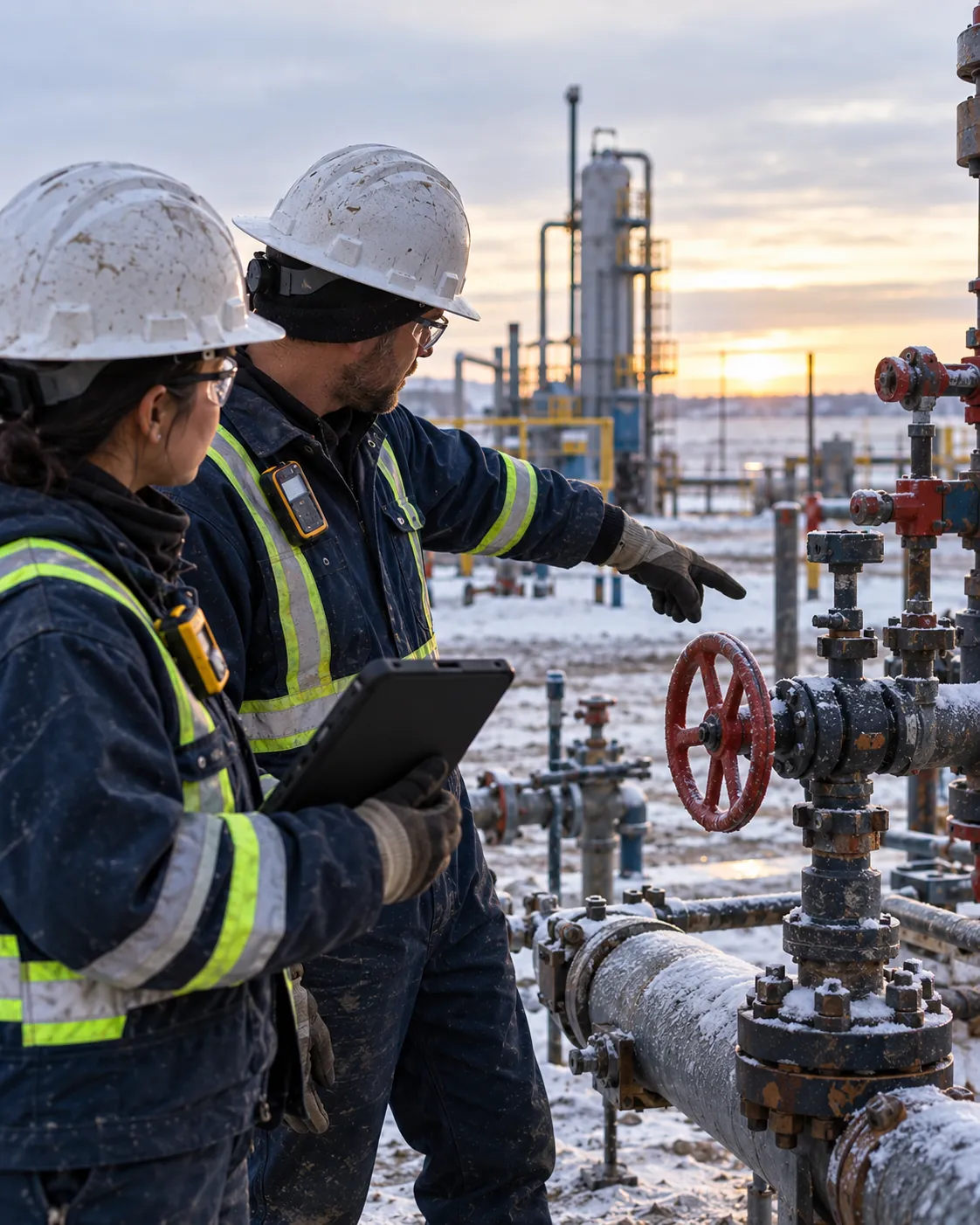
Two workers in flame-resistant coveralls, hard hats and gas monitors at a frosty wellsite, one holding a tablet while the other points to a valve.
A day on a remote lease

The record keeps up, even when the signal does not.

  1. 05:45

    Leave the yard

    The crew opens Muster in the yard while there is still signal, so the day’s work is ready on the phone.

  2. 07:30

    FLHA at the wellsite

    Hazards and controls named for the job in front of them and signed by the crew, with no bars.

  3. 11:00

    A near miss, offline

    Reported on the spot with a photo. It waits on the phone instead of in someone’s memory.

  4. 15:30

    Back in range

    The queued records send themselves, and the safety manager assigns the follow-up.

What you will use most

The parts of Muster a field crew leans on.

Oil and gas safety software, answered

Does Muster really work with no cell signal?+
Yes, for the work that has to happen in the field: the daily check, FLHA sign-off, and hazard and incident reports with their photos. The phone needs to have opened Muster once with signal; after that, these are saved on the device in a dead zone and sent when signal returns.
Can I track tickets for rotating crews?+
Yes. Certifications are tracked per worker with expiry dates, so a ticket about to lapse is visible before that worker is sent to site.
Can contractors sign our FLHA?+
Yes. A contractor signs the FLHA on the foreman’s phone as a guest, with no account or app, and the signature is kept on the record.
Can I give the operator evidence of follow-up?+
Yes. Each incident can carry a corrective action with an owner and a due date, and the records export as PDF or CSV with their timestamps.
Keep the record, wherever the lease is.

Request a pilot and your workspace is usually live the same day. From $8 CAD per worker, per month.